
If you built your website five or more years ago, or had someone throw together a template site and call it done, there’s a good chance it was designed for a desktop screen. A big monitor, a mouse, a fast broadband connection. Someone sitting at a desk with time to browse.
That person is not your customer anymore. Or at least, they’re not your only customer — and increasingly, they’re not even the majority.
The customer finding you today is standing in a parking lot, sitting in a waiting room, or lying on the couch at 9pm. They searched something on their phone, your site came up, and they gave it about four seconds. What happened in those four seconds determines whether they called you or kept scrolling.
How People Actually Browse Today
Over 60% of local searches happen on mobile devices. For certain industries — restaurants, plumbers, emergency HVAC, auto repair — that number is higher, because people search those things when they need them, and they need them when they’re out of the house or something has just gone wrong.
The behavior is also different on mobile. Desktop users browse. Mobile users decide. They’re not comparing twelve options and taking notes. They’re looking for the first credible result that makes it easy to act. If your site slows them down or makes them work, they’re gone before they’ve read a sentence.
Google has known this for years. Since 2019, Google has used mobile-first indexing — meaning it crawls and ranks your site based on the mobile version, not the desktop version. Your beautiful desktop site is largely irrelevant to where you rank. What matters is how the mobile version performs.
If your site was never built with mobile in mind, you’re being penalized in search rankings and losing visitors when they arrive. Both at the same time.
What Actually Breaks on Mobile
Most owners assume their site is fine on mobile because they checked it once and it loaded. But loading and working are not the same thing.
Text that’s too small to read without zooming is the most common failure. A font size that looks fine on a 27-inch monitor becomes unreadable on a 6-inch screen. If a visitor has to pinch and zoom to read your service list or your phone number, most won’t bother.
Horizontal scrolling is a sign the site was never adapted for mobile at all. Content that runs off the right edge of the screen, forcing users to scroll sideways, is a clear signal that the layout was designed for wide screens and never tested on narrow ones.
Images that don’t resize. A large hero image that looks dramatic on desktop can take up the entire screen on mobile and push everything else below the fold, including your contact button and your headline. If someone has to scroll through a full-screen photo just to see what you do, some of them won’t.
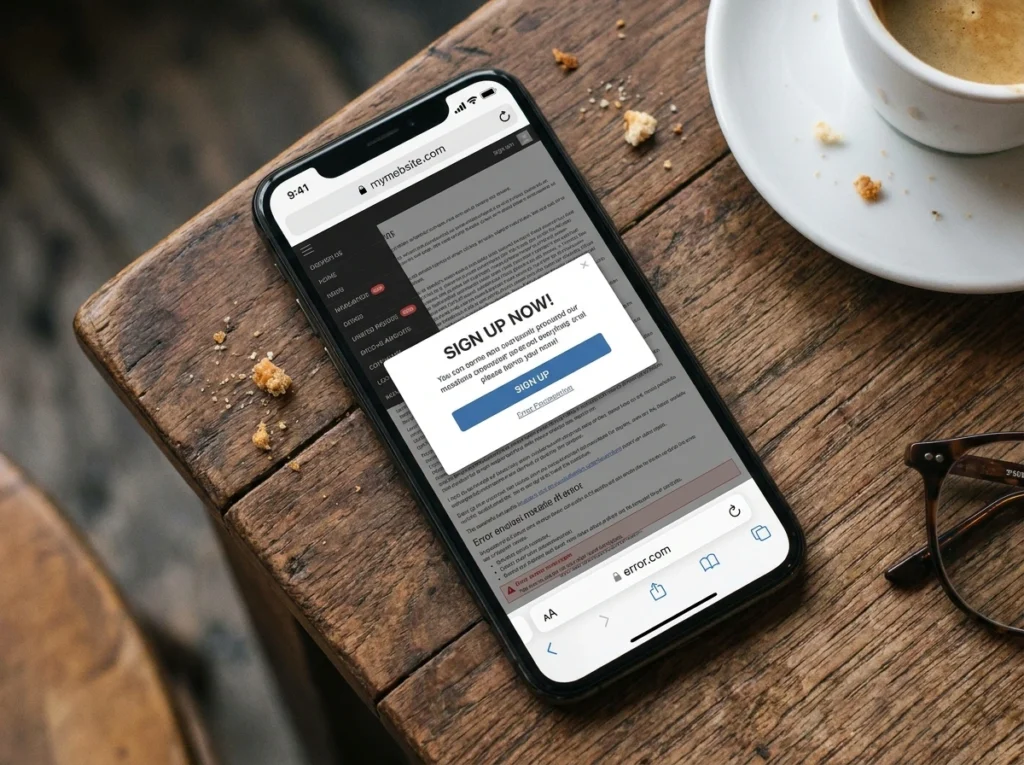
Pop-ups that cover the screen and can’t be closed. On desktop these are annoying. On mobile, where the X button is often too small to tap accurately, they’re a dead end. Google also penalizes sites with intrusive mobile pop-ups in search rankings.
Navigation menus that don’t collapse. A horizontal menu with eight items might fit a desktop header. On a phone it either stacks into a mess or overflows off the screen entirely. Mobile sites need a hamburger menu or simplified navigation that works with thumbs, not a cursor.
Forms with tiny input fields. If someone has to tap three times to hit the right field on a contact form, they’re going to give up. Form fields on mobile need to be large enough to tap reliably, and the keyboard that appears should match the input — number pad for phone numbers, email keyboard for email fields.
Why Speed Matters Even More on a Phone
A slow site on desktop is frustrating. On mobile it’s fatal.
Mobile connections — even on 4G — are less stable and slower than a home broadband connection. A site that loads in two seconds on WiFi might take six or eight on a mobile network. And people on phones have shorter patience, not longer.
Google’s data has consistently shown that the majority of mobile users will abandon a site if it takes more than three seconds to load. Every second after that loses more of them.
The usual culprits for slow mobile load times are uncompressed images, too many plugins running scripts in the background, cheap hosting that can’t handle requests quickly, and pages that load large desktop assets on mobile screens that don’t need them.
This is fixable without rebuilding the entire site in most cases. Image compression, removing unused plugins, and upgrading hosting alone can cut load times significantly. But you have to know the problem exists first.
Tap-Friendly Design and Why It Matters

A mouse can click on something two pixels wide. A thumb cannot.
Buttons, links, and menu items on a mobile site need to be large enough to tap without hitting the wrong thing. Apple’s human interface guidelines suggest a minimum tap target of 44×44 pixels. Most template sites built without mobile consideration fall well below that for secondary links and navigation items.
The phone number especially. On a mobile site, your phone number should be a large, tappable button — not text embedded in a paragraph. One tap should initiate a call. If a customer has to copy the number, switch to the phone app, and dial manually, you’ve added enough friction that some of them won’t complete it.
The same applies to your primary call to action. Book Now, Request a Quote, Get a Free Consultation — whatever your main action is, it should be a button large enough to tap comfortably with a thumb, visible without scrolling, and repeated throughout the page so users don’t have to go looking for it.
Think about where thumbs actually reach on a phone. The bottom half of the screen is easy. The top corners are awkward. Putting your most important button at the top left of a mobile page sounds logical but it’s actually the hardest place for a right-handed user to tap. These details matter more than people expect.
How to Test Your Own Site in Two Minutes
You don’t need any tools for the first test. Pick up your phone, open your browser, and go to your own website as if you’d never seen it before.
Try to find your phone number without knowing where it is. Try to read a paragraph of text without zooming. Try to tap your main navigation menu and get to your services page. Try to fill out your contact form. Time how long the page takes to appear.
If any of those felt awkward, slow, or unclear — your customers are experiencing exactly that, every day.
For a more technical read, go to PageSpeed Insights, enter your URL, and look at your mobile score. Anything below 50 is a real problem. The report will also tell you what specific issues are slowing the site down, in plain enough language to take to a developer.
Google also has a tool called the Mobile-Friendly Test (search for it) that tells you directly whether it can read and render your site properly on mobile. If it flags issues, those issues are affecting your rankings right now.

Quick Wins vs. Bigger Problems
Some mobile issues are quick fixes. Compressing images, increasing font sizes, making the phone number a tap-to-call link, enlarging buttons — a competent developer can address most of these in a few hours without touching the overall design.
Others point at something more structural. A site built on an old framework that was never designed to be responsive can’t always be patched into working properly on mobile. At some point, the fixes cost more than a rebuild, and they produce a worse result. If your site was built before 2015 and never updated, that’s probably where you are.
Template sites from page builders that weren’t configured correctly for mobile are a middle case — the underlying system can handle mobile fine, but whoever built the site didn’t set it up that way. This is usually fixable without a full rebuild, but it takes someone who knows what they’re doing.
The honest answer is that you won’t know which category you’re in until someone looks at the site properly. A quick audit takes less than an hour and tells you whether you’re dealing with a quick fix or something that needs more attention.
The Stakes
Your competitors’ sites are coming up in the same searches yours is. If their site loads in two seconds and yours takes seven, they’re getting the call. If their button is big and obvious and yours requires hunting, they’re getting the booking. If Google’s mobile crawler gives their site a better score than yours, they’re ranking above you before the customer even has a choice.
Mobile is not a nice-to-have feature of a website anymore. It’s the primary way your site gets judged — by Google and by the people you’re trying to reach.
An older site or a template that was never properly configured for mobile is actively costing you. Not might be. Is.